Cosmetics
EdenEffects has eight cosmetic types. A player can have one of each at once.
| Type | Config key | Permission prefix | How it works |
|---|---|---|---|
| Trails | trails | edeneffects.trail. | Particles behind a walking player. |
| Hats | hats | edeneffects.hat. | A ring of particles circling above the head. |
| Wings | wings | edeneffects.wings. | A particle wing shape on the player's back. |
| Pets | pets | edeneffects.pet. | A real vanilla mob that follows the player. See Pets. |
| Gadgets | gadgets | edeneffects.gadget. | A hotbar item that does something when used. See Gadgets. |
| Join effects | joins | edeneffects.join. | A one-shot burst when the player joins. |
| Leave effects | leaves | edeneffects.leave. | A one-shot burst where they were standing when they leave. |
| Death effects | deaths | edeneffects.death. | A one-shot burst where they died. |
The ID of a cosmetic is what goes in its permission node and in the database.
Permission prefixes are singular (edeneffects.join.arrival), while config keys and command arguments are plural (cosmetics.joins, /cosmetics joins). Wings is plural in both.
Trails
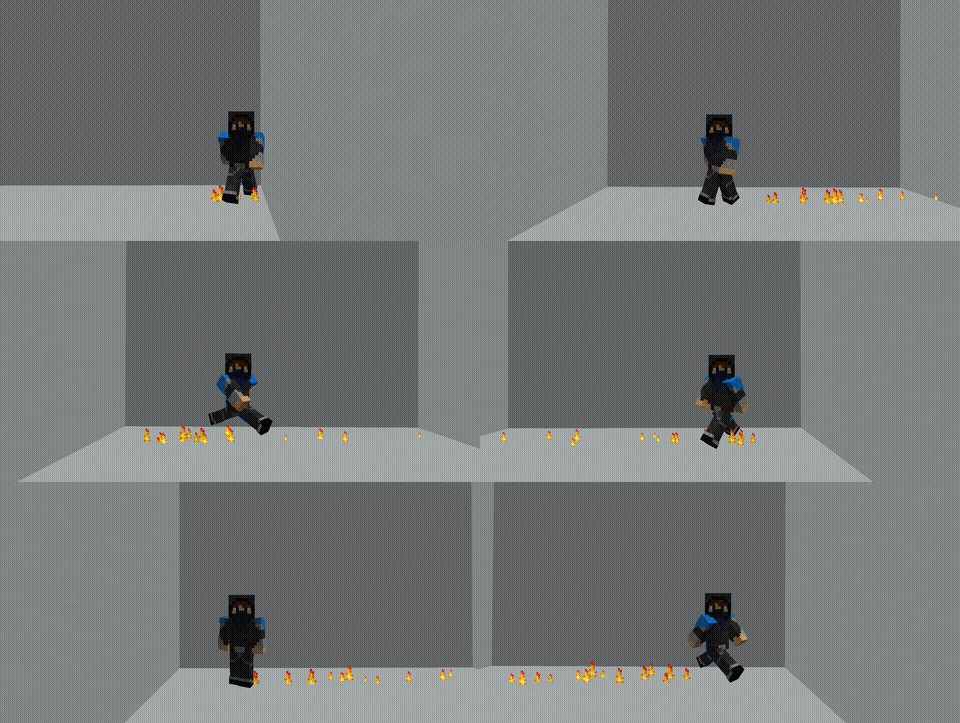
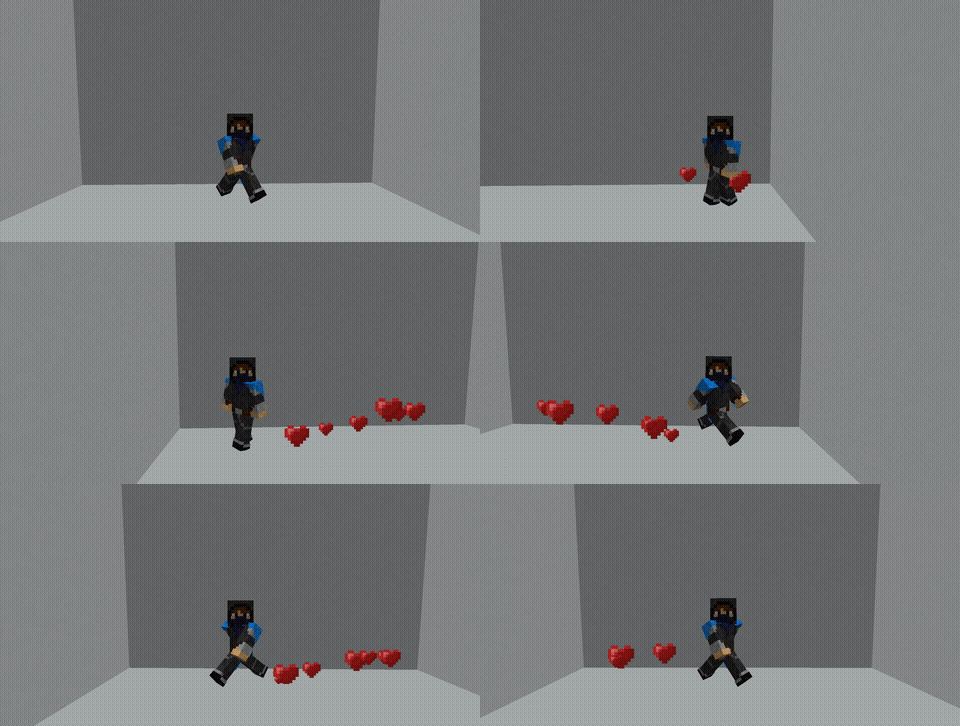
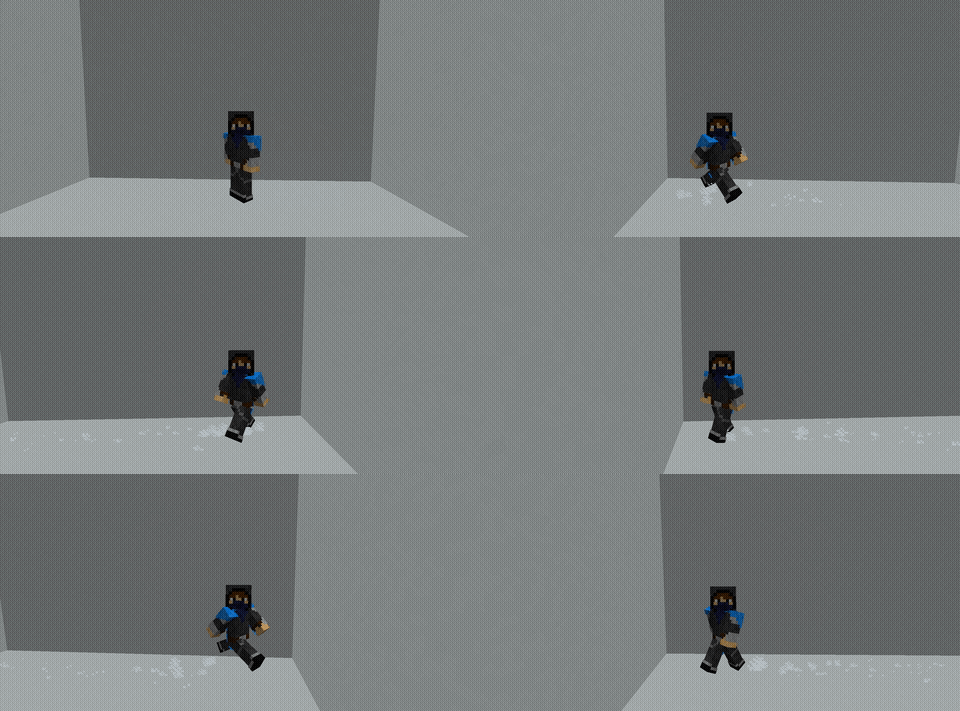
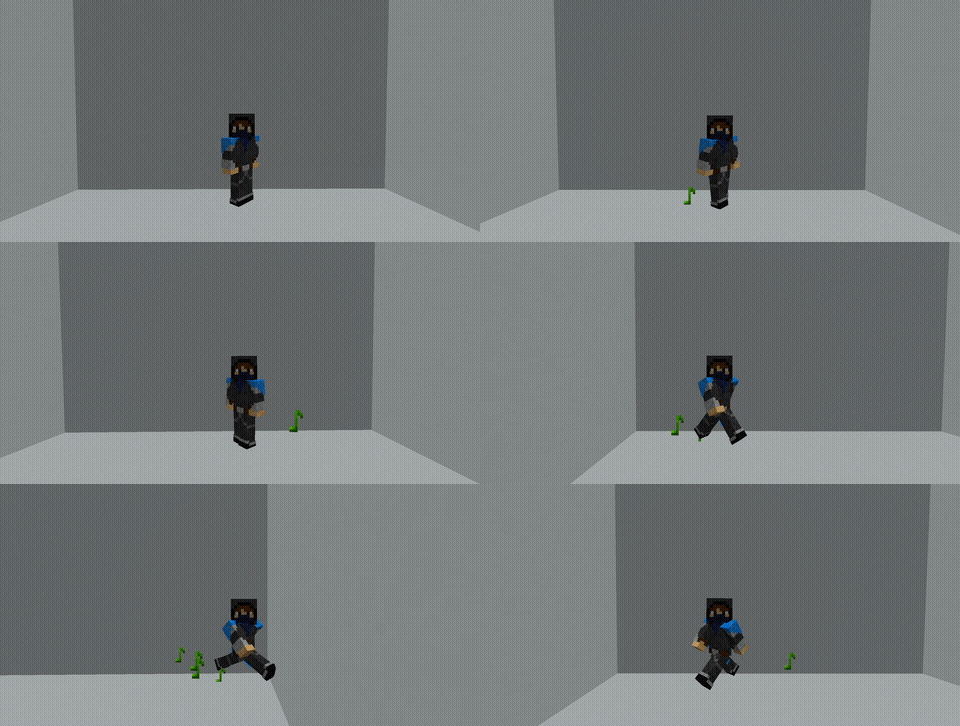
A trail leaves particles behind the player as they walk, with a bigger puff when they jump. Nothing is drawn while they stand still.
| ID | Name | Particle | Menu icon | Permission |
|---|---|---|---|---|
flame | Flame | Flame | Blaze Powder | edeneffects.trail.flame |
hearts | Hearts | Heart | Poppy | edeneffects.trail.hearts |
snow | Snow | Snowflake | Snowball | edeneffects.trail.snow |
notes | Music Notes | Note | Note Block | edeneffects.trail.notes |
Hats
A hat is a ring of particles turning slowly above the player's head. Hats are drawn with particles rather than worn as an item or an armour stand, so they add no entities and never replace a real helmet.
| ID | Name | Particle | Menu icon | Permission |
|---|---|---|---|---|
halo | Halo | End Rod | Gold Ingot | edeneffects.hat.halo |
crown | Crown | Wax On | Golden Helmet | edeneffects.hat.crown |
storm | Storm Cloud | Cloud | Light Gray Wool | edeneffects.hat.storm |

Wings
Wings are traced in particles behind the player and turn with them, so they stay on their back. They flap gently while the player moves around, and spread out while gliding with an elytra.
| ID | Name | Particle | Menu icon | Permission |
|---|---|---|---|---|
angel | Angel Wings | End Rod | Feather | edeneffects.wings.angel |
ember | Ember Wings | Flame | Blaze Rod | edeneffects.wings.ember |
verdant | Verdant Wings | Happy Villager | Oak Leaves | edeneffects.wings.verdant |

Join, leave, and death effects
Three types of one-shot effect: a burst of particles and a sound played where the player is at the moment they join, leave, or die. They are chosen in the menu like any other cosmetic, saved in MySQL, and carried in presets.
Nothing is registered on the render loop for them. There is no per-tick work and nothing to clean up, so they cost nothing until the moment they fire.
Join
| ID | Name | Particle | Sound | Menu icon | Permission |
|---|---|---|---|---|---|
arrival | Arrival | End Rod | Amethyst chime | End Rod | edeneffects.join.arrival |
bloom | Bloom | Happy Villager | Grass break | Bone Meal | edeneffects.join.bloom |
flare | Flare | Flame | Blaze shoot | Blaze Powder | edeneffects.join.flare |
fanfare | Fanfare | Note | Note block bell | Note Block | edeneffects.join.fanfare |

Leave
| ID | Name | Particle | Sound | Menu icon | Permission |
|---|---|---|---|---|---|
vanish | Vanish | Portal | Enderman teleport | Ender Pearl | edeneffects.leave.vanish |
smoke_puff | Smoke Puff | Large Smoke | Fire extinguish | Gunpowder | edeneffects.leave.smoke_puff |
farewell | Farewell | Heart | Villager yes | Poppy | edeneffects.leave.farewell |

Death
| ID | Name | Particle | Sound | Menu icon | Permission |
|---|---|---|---|---|---|
souls | Souls | Soul | Soul escape | Soul Sand | edeneffects.death.souls |
ashes | Ashes | Campfire Smoke | Fire extinguish | Coal | edeneffects.death.ashes |
boom | Boom | Explosion Emitter | Generic explode | TNT | edeneffects.death.boom |
thunder | Thunder | Lightning flash | Vanilla thunder | Lightning Rod | edeneffects.death.thunder |
Boom and Thunder are effects only. Boom draws the explosion particle without an explosion: nothing is damaged and no blocks change. Thunder is a lightning flash with no strike behind it, so it starts no fires and hits nothing.
When an effect fires, the same gates as a worn cosmetic are checked at that moment: the player must still hold the permission, the type must be enabled in that world, and nothing plays for a vanished or spectating player. The leave effect is read before the player's cached selections are dropped, which is the only reason it can play at all.
Unlike trails, hats, and wings, these bursts are played through the world rather than sent per viewer, so everyone in normal view distance sees them and render.distance does not apply.
effects.sounds: false turns off the sound of every other cosmetic, particles included or not. Thunder is the exception: its flash carries vanilla's own thunder sound, which that setting does not silence.

Pets
Almost every mob in the game can be a pet, so there is no fixed list here. See Pets for how the list is built, the handful of mobs left out, and how pets behave.
Gadgets
| ID | Name | Cooldown | Permission |
|---|---|---|---|
firework_launcher | Firework Launcher | 5s | edeneffects.gadget.firework_launcher |
paint_gun | Paint Gun | 3s | edeneffects.gadget.paint_gun |
grappling_hook | Grappling Hook | 8s | edeneffects.gadget.grappling_hook |
balloon | Balloon | 12s | edeneffects.gadget.balloon |
See Gadgets for what each one does.
Performance
Trails, hats, and wings are all drawn by one async render loop, not a task per player.
- Each tick, a very cheap sync task records where every player with a cosmetic is standing, since player positions cannot be read off the main thread.
- Every
render.period-ticksticks, the async loop draws each cosmetic, skipping viewers in another world or further away thanrender.distance. - Particles are sent to each nearby viewer directly rather than broadcast, so a player nobody is near costs one loop step and no packets.
On a busy server, raise render.period-ticks to 3 or lower render.distance to cut the work further. See Configuration.
Join, leave, and death effects cost nothing until they fire. Pets are real entities, so they cost what any mob costs.
Adding cosmetics
The stock set is defined in code, in Cosmetics.createRegistry. Adding a trail, hat, wings, or effect is one line there, and a new type needs one CosmeticType value plus one class implementing Cosmetic. The registry, storage, menu, permission registration, and config toggles all pick new entries up automatically.
A cosmetic's ID is stored in players' selections and presets and used in permission nodes. Renaming one orphans every existing selection and grant, so treat a rename as a data migration.